Defining clear AI marketing agent roles and workflows is the difference between a chaotic collection of bots and a coordinated autonomous campaign system that actually ships results. This guide maps every core agent role—orchestrator, analyst, copywriter, publisher, and optimizer—and shows you exactly how to wire them together so each agent knows what to do, when to act, and who to hand off to next.
Understanding AI Marketing Agent Roles and Workflows
An agentic marketing system is not a single AI doing everything. It is a structured network of specialized agents, each owning a distinct function, communicating through defined handoff points. When those roles are vague or the workflows between them are undefined, agents either duplicate work, block each other, or produce output that never gets used.
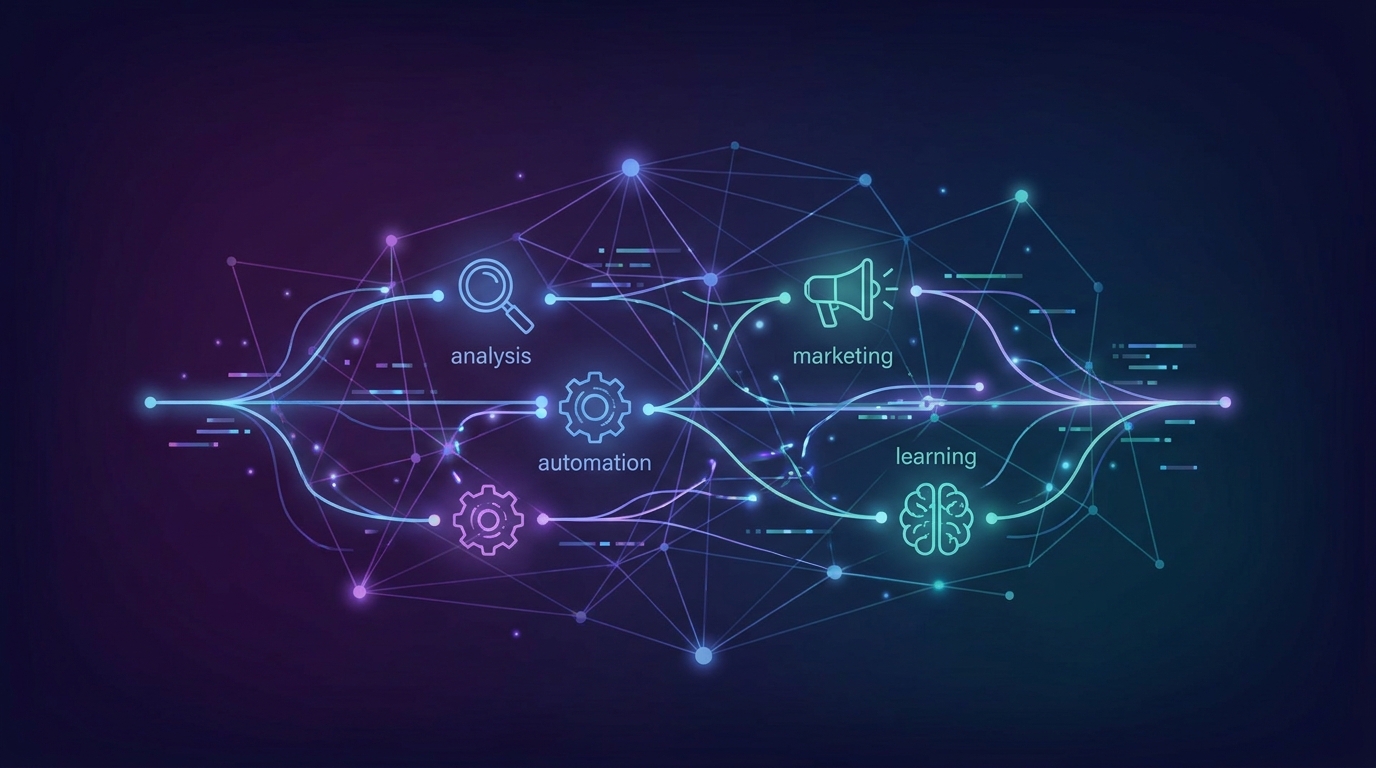
The five core roles that cover the full campaign lifecycle are: the Orchestrator (campaign controller), the Analyst (data and insight engine), the Copywriter/Creative Agent (content production), the Publisher Agent (distribution and scheduling), and the Optimizer Agent (performance feedback loop). Every additional agent you add should map cleanly onto or between these five.
"Teams that formally document agent roles and handoff protocols report 40% fewer execution errors in their first 90 days of autonomous campaign operation compared to teams that rely on informal prompting alone."
Understanding this architecture upfront means you can design workflows that are both autonomous and auditable. For a broader foundation, read how to build an agentic marketing system before diving into individual role definitions.
Prerequisites Before You Assign Agent Roles
Rushing into role assignment without the right foundation produces brittle systems. Before you configure a single agent, confirm the following are in place:
- A defined campaign goal hierarchy: Know whether agents are optimizing for awareness, lead volume, pipeline revenue, or retention. Agents without a clear north-star metric make conflicting decisions.
- An accessible data layer: Analyst and Optimizer agents need real-time or near-real-time access to CRM data, ad platform APIs, web analytics, and email engagement metrics. Without this, they operate on stale signals.
- A shared memory or context store: Agents must be able to read each other's outputs. A vector database, shared document store, or structured JSON context object prevents agents from starting from scratch on every task.
- Tool permissions and API credentials: Each agent should have the minimum permissions it needs—no more. Publisher agents need write access to ad platforms and CMS; Analyst agents need read access only.
- A human-in-the-loop escalation policy: Decide in advance which decisions require human approval (e.g., budget increases above $500, brand-sensitive copy) and which agents can execute autonomously.
- An agent framework or orchestration platform: Whether you use LangGraph, CrewAI, AutoGen, or a custom stack, your framework must support multi-agent coordination and state management before roles are assigned.
These prerequisites are not optional. Skipping them is the single most common reason agentic marketing pilots stall after the first test campaign.
Step 1: Define the Orchestrator Agent
The Orchestrator is the campaign's central nervous system. It does not produce content or publish ads—it plans, delegates, monitors, and resolves conflicts between all other agents. Every campaign run begins and ends with the Orchestrator.
- Write a system prompt that gives the Orchestrator the full campaign brief: Include goal, target audience, budget, timeline, approved channels, and brand constraints. This brief is the Orchestrator's single source of truth.
- Define the task decomposition logic: The Orchestrator should break the campaign brief into discrete subtasks (audience research, creative production, scheduling, reporting) and assign each to the correct downstream agent.
- Establish a priority queue: Some tasks are blocking (you cannot write copy before you have audience insights), while others run in parallel (writing email copy and social copy simultaneously). Map these dependencies explicitly.
- Set escalation triggers: Configure conditions under which the Orchestrator pauses the workflow and routes a decision to a human—for example, if the Analyst returns a data confidence score below 70%, or if the Publisher detects a platform policy conflict.
- Log every delegation event: The Orchestrator should write a timestamped log entry every time it assigns a task, receives a result, or modifies the workflow. This audit trail is essential for debugging and compliance.
A well-configured Orchestrator reduces the need for human project management by an estimated 60–70% on repeating campaign types, because it encodes your standard operating procedure as executable logic rather than documentation no one reads.
Step 2: Build Out the Analyst Agent
The Analyst Agent transforms raw data into structured insights that every other agent uses to make decisions. Without it, the Copywriter writes for the wrong audience and the Optimizer has nothing to react to.
- Connect the Analyst to your data sources via tool calls: Give it functions to query Google Analytics 4, your CRM (HubSpot, Salesforce), paid media APIs (Meta, Google Ads), and any first-party behavioral data stores.
- Define the insight output schema: The Analyst should return structured objects—audience segments, top-performing content themes, channel performance rankings, keyword opportunity scores—not freeform text summaries. Structured output is parseable by other agents.
- Assign pre-campaign and mid-campaign modes: In pre-campaign mode, the Analyst researches the target audience and competitive landscape. In mid-campaign mode, it monitors live performance and surfaces anomalies.
- Set confidence thresholds: If the Analyst is working with fewer than 500 conversion events or a data window shorter than 14 days, it should flag low statistical confidence so the Orchestrator can decide whether to proceed or wait.
- Feed Analyst output directly into the Copywriter's context: Audience pain points, preferred content formats, and high-CTR message angles from the Analyst should automatically populate the Copywriter agent's briefing object.
Step 3: Configure the Copywriter and Creative Agents
The Copywriter Agent (and any paired Creative/Image Agent) is responsible for producing channel-specific content assets. This is the highest-volume output role in the system, and it is also the most brand-sensitive.
- Supply a brand voice document as a persistent system instruction: Tone of voice, forbidden phrases, approved terminology, and message hierarchy should live in the agent's system prompt, not in individual task prompts that can be forgotten or overridden.
- Create channel-specific sub-agents or personas: Email copy, paid ad headlines, landing page body text, and LinkedIn posts each have different character limits, compliance requirements, and reader expectations. A single generic Copywriter agent produces mediocre output across all four. Specialized sub-agents produce better results.
- Implement a variant generation protocol: For any ad or email subject line, the Copywriter should produce a minimum of three variants by default. These feed directly into the Optimizer agent's A/B testing queue.
- Build a compliance check step: Before any copy leaves the Copywriter agent, route it through a lightweight review function that checks for regulatory language issues (GDPR claims, financial disclaimers, health claims) and brand guideline violations.
- Define the handoff object: When the Copywriter completes a task, it should pass a structured asset bundle to the Publisher—including the copy, metadata tags, target audience segment ID, and scheduled deployment window.
"Agentic copywriter systems with structured brand voice instructions produce on-brand output at a rate approximately 3x higher than systems relying on ad-hoc prompting, based on internal audits from teams running 50+ campaign assets per month."
Step 4: Set Up the Publisher Agent
The Publisher Agent handles distribution—pushing approved assets to the right channels at the right time. It is the execution arm of the system, and its reliability directly determines whether your campaigns launch on schedule.
- Map each channel to a publishing tool: The Publisher needs authenticated integrations with every distribution platform your campaigns use. Common connections include Meta Ads Manager, Google Ads, HubSpot email, WordPress or Webflow CMS, and LinkedIn Campaign Manager.
- Build a pre-publish validation checklist: Before sending anything live, the Publisher should verify that all required fields are populated, image dimensions meet platform specs, UTM parameters are attached, and human approval has been granted (for flagged content).
- Implement scheduling logic: The Publisher should read the Analyst's optimal send-time recommendations and schedule assets accordingly, rather than defaulting to a fixed time. This alone can lift email open rates by 10–20%.
- Create a publish receipt mechanism: After every successful publish action, the Publisher writes a record to the shared context store (channel, asset ID, publish timestamp, audience targeting parameters). The Optimizer agent reads these receipts to know what is live and attributable.
- Handle failure gracefully: If an API call fails or a platform rejects an asset, the Publisher should retry once, then escalate to the Orchestrator rather than silently dropping the task.
| Channel | Publisher Tool / API | Key Validation Check |
|---|---|---|
| Paid Social (Meta) | Meta Marketing API | Image ratio, headline character limit, ad account spend cap |
| Paid Search (Google) | Google Ads API | Responsive ad asset counts, keyword match type, policy compliance |
| HubSpot / Klaviyo API | Unsubscribe link present, sender domain authenticated, list segment ID valid | |
| Blog / SEO Content | WordPress REST API / Webflow CMS | Meta description length, canonical URL set, images have alt text |
| LinkedIn Marketing API | Company page permissions, audience size above minimum threshold |
Step 5: Deploy the Optimizer Agent and Close the Loop
The Optimizer Agent is what transforms your system from a one-shot campaign launcher into a continuously improving performance engine. It monitors live results, identifies underperformers, generates improvement hypotheses, and feeds recommendations back to the Orchestrator.
- Define performance monitoring intervals: The Optimizer should pull fresh performance data on a schedule appropriate to the channel—every 4 hours for paid ads, every 24 hours for email and SEO content. Checking too frequently on low-traffic campaigns produces statistically meaningless signals.
- Set performance thresholds that trigger action: For example: if a paid ad's CTR falls more than 30% below the campaign benchmark after 500 impressions, the Optimizer flags it for creative replacement. If an email's open rate exceeds benchmark by 25%, the Optimizer recommends scaling the subject line variant to the full list.
- Generate improvement hypotheses in structured format: When the Optimizer identifies an issue, it should produce a hypothesis object—what the problem is, what change is recommended, what outcome is expected, and what confidence level it has. This object goes to the Orchestrator for approval or automatic execution.
- Write learnings back to the shared memory store: Winning creative patterns, high-performing audience segments, and best send times should be persisted as reusable knowledge that improves every future campaign, not just the current one.
- Generate a campaign close report: At campaign end, the Optimizer compiles a structured summary—goal vs. actual performance, top-performing assets, budget efficiency, and recommended next actions—that the Orchestrator delivers to human stakeholders.
For a deeper dive into how orchestration and optimization interact at the campaign level, the guide on agentic AI marketing campaign orchestration covers the full decision architecture in detail.
Common Mistakes to Avoid
Even teams with strong technical foundations make predictable errors when standing up multi-agent marketing systems. These are the ones most likely to waste your time or damage campaign performance:
- Assigning overlapping responsibilities to two agents: If both the Orchestrator and the Analyst are authorized to modify campaign targeting, you will get race conditions and contradictory actions. Every decision type should have exactly one owning agent.
- Using unstructured natural language for agent handoffs: Passing a prose paragraph from the Analyst to the Copywriter is error-prone. Use structured JSON or typed objects so receiving agents can parse inputs reliably and deterministically.
- Skipping the compliance review step: In 2026, automated publishing without compliance checks creates real regulatory exposure across email (CAN-SPAM, GDPR), paid advertising (platform policies), and regulated industries (finance, healthcare). One rejected ad account can halt an entire campaign system.
- Building the Optimizer before the Publisher is stable: Optimization feedback is only meaningful if you trust the underlying publish and tracking data. Fix your Publisher and attribution pipeline first.
- Setting optimization loops that run too frequently on low-traffic campaigns: An Optimizer checking performance every hour on a campaign generating 20 daily clicks will reach false conclusions and make destructive changes. Match loop frequency to statistical reality.
- Neglecting the shared memory store: Agents without access to accumulated learnings restart from zero on every campaign. This is the biggest source of wasted compute and missed improvement opportunities in early agentic systems.
Expected Results and Timeline
Realistic expectations prevent teams from abandoning functional systems too early or over-investing before the architecture is validated. Here is what a typical rollout looks like:
| Phase | Timeframe | What to Expect |
|---|---|---|
| Foundation Setup | Weeks 1–2 | Agent roles defined, data connections established, orchestration framework running. No live campaigns yet. |
| First Supervised Campaign | Weeks 3–4 | Full agent workflow runs one campaign with human approval at every step. Expect significant debugging. Output quality is variable. |
| Semi-Autonomous Operation | Weeks 5–8 | Human approval required only at flagged escalation points. Campaign launch time drops by 50–60% versus manual process. |
| Continuous Optimization Active | Months 3–4 | Optimizer Agent has 8+ weeks of performance data. Shared memory store contains reusable learnings. Cost-per-lead typically drops 20–35% versus baseline. |
| Scaled Autonomous Campaigns | Month 5+ | System runs multiple concurrent campaigns across channels. Human team shifts from execution to strategy and exception handling. |
The single biggest predictor of timeline success is the quality of your prerequisites. Teams with clean data infrastructure and well-documented brand guidelines reach semi-autonomous operation in 5–6 weeks. Teams that skip prerequisites often spend weeks 3–8 fixing data and permissions issues rather than running campaigns.
Frequently Asked Questions
How many AI agents do you need for a basic autonomous marketing system?
A functional minimum is five agents: Orchestrator, Analyst, Copywriter, Publisher, and Optimizer. You can start with just three—Orchestrator, Copywriter, and Publisher—and add Analyst and Optimizer once the core workflow is stable. Adding more agents beyond these five should only happen when a specific capability gap is clearly identified, not to add complexity for its own sake.
What is the difference between an Orchestrator agent and a standard AI assistant?
A standard AI assistant responds to individual prompts from a human. An Orchestrator agent maintains persistent campaign state, decomposes goals into subtasks, delegates to other agents, monitors progress, and resolves conflicts—all without requiring a human to manage each step. The Orchestrator's behavior is driven by campaign objectives and workflow logic, not by conversational prompts.
How do AI marketing agents communicate and hand off tasks to each other?
Agents communicate through a shared context store (commonly a vector database or structured document store) combined with explicit tool calls or message-passing protocols defined by the orchestration framework. Handoffs use structured data objects—not freeform text—so the receiving agent can parse inputs reliably. Frameworks like LangGraph and CrewAI provide built-in state management and inter-agent communication patterns that handle this infrastructure.
Can AI marketing agents make budget decisions autonomously?
They can recommend budget adjustments and, within predefined guardrails, execute small changes autonomously—for example, pausing an underperforming ad set or reallocating up to 10% of daily budget toward a top performer. Larger budget decisions should route to a human-in-the-loop approval step. Hard spending caps enforced at the API credential level are a critical safety control, not an optional safeguard.
What AI frameworks are best for building multi-agent marketing workflows in 2026?
LangGraph is the strongest choice for teams that need fine-grained control over agent state and complex conditional workflows. CrewAI offers a simpler setup for teams prioritizing speed over customization. Microsoft AutoGen suits teams already embedded in the Azure ecosystem. The right choice depends on your engineering capacity, existing infrastructure, and how much custom workflow logic your campaigns require.
How do you prevent AI marketing agents from publishing incorrect or off-brand content?
Three controls work together: a persistent brand voice system prompt baked into the Copywriter agent, a pre-publish compliance review function that checks every asset before the Publisher fires, and a human-approval gate for any content flagged as brand-sensitive or regulatory-adjacent. None of these controls alone is sufficient—the combination of rule-based validation, LLM-based brand review, and human escalation creates reliable defense in depth. Logging every published asset with its approval status provides the audit trail needed for accountability.