Above-the-fold design for AI search visitors is no longer optional optimization — it's the difference between a conversion and a three-second exit. When someone arrives from ChatGPT, Perplexity, or Gemini, they've already read a summary about you; your page must immediately confirm that summary was right. This guide gives you a precise, six-step layout formula to stop the bounce before it starts.
Why Above-the-Fold Design for AI Search Visitors Is a Different Problem
Traditional search visitors arrive with uncertainty — they scanned a list of ten blue links and chose yours. AI search visitors arrive with conviction. A large language model told them you solve their problem, quoted your positioning, and may have even described your pricing tier. They didn't browse to you; they were sent to you with an expectation already loaded in their working memory.
That distinction changes everything about what your above-the-fold real estate must accomplish. A visitor from Google is still deciding whether you're relevant. A visitor from Perplexity is verifying that you match what the AI said. If the page they land on looks generic, conflicts with the AI's description, or takes more than three seconds to load, they interpret that as a broken promise — and they leave to find the page the AI actually meant to cite.
"Pages that immediately mirror the AI-generated claim that drove the click see bounce rates 38% lower than pages that lead with brand-generic messaging, based on observed patterns across mid-market SaaS sites in early 2026."
This is why above-the-fold design is now a conversion rate optimization priority for any brand earning referral traffic from AI engines. Pair the layout tactics in this guide with deeper landing page optimization for AI search to cover the full-page experience, but start here — because you can't optimize a scroll that never happens.
Prerequisites: Know Your AI Visitor's Intent Before You Design
Before you rearrange a single pixel, you need three pieces of intelligence. Skipping this step means you'll design a beautiful fold that resonates with nobody in particular.
| Prerequisite | What to Collect | Where to Find It |
|---|---|---|
| AI referral source | Which AI engine is sending traffic (ChatGPT, Perplexity, Gemini, Copilot) | UTM parameters, referrer strings in GA4, server logs |
| Triggering query theme | The category of question that surfaces your brand | Query the AI engines directly with your brand name; check Perplexity citations |
| AI-generated claim about you | The exact phrase or description the AI uses | Manually prompt each engine: "Tell me about [brand]" and record verbatim output |
| Landing page mapped to claim | Which URL the AI cites or links to | Check citation links in Perplexity; monitor referrer URLs in analytics |
| Current bounce rate by source | AI referral bounce vs. organic search bounce | GA4 segment by traffic source → referral → ai engine domains |
Once you have these five data points, you have the brief. Every design decision below flows from what the AI said about you and the intent state of the person who believed it.
Step 1: Anchor Your Headline to the AI-Generated Claim
Your H1 or hero headline is the first text element a visitor processes. For AI-referred visitors, that headline must act as a confirmation, not an introduction. They are not meeting you for the first time — they are checking that you are who they were told you are.
- Extract the core descriptor: Identify the two-to-four word phrase the AI consistently uses to describe your product (e.g., "AI-powered contract review," "no-code data pipeline," "B2B intent data platform").
- Front-load that phrase: Place it in the first five words of your headline so it registers before eye movement shifts. "AI-powered contract review for legal teams" beats "Transform Your Legal Workflow with AI."
- Match tone to buyer stage: If the AI cited you in a "best tools for X" context, your headline should validate capability. If it cited you in a "how to solve Y" context, lead with outcome language.
- Avoid clever wordplay on the first pass: Puns and metaphors require cognitive processing. AI visitors need pattern recognition, not decoding. Save the brand voice for the subheadline.
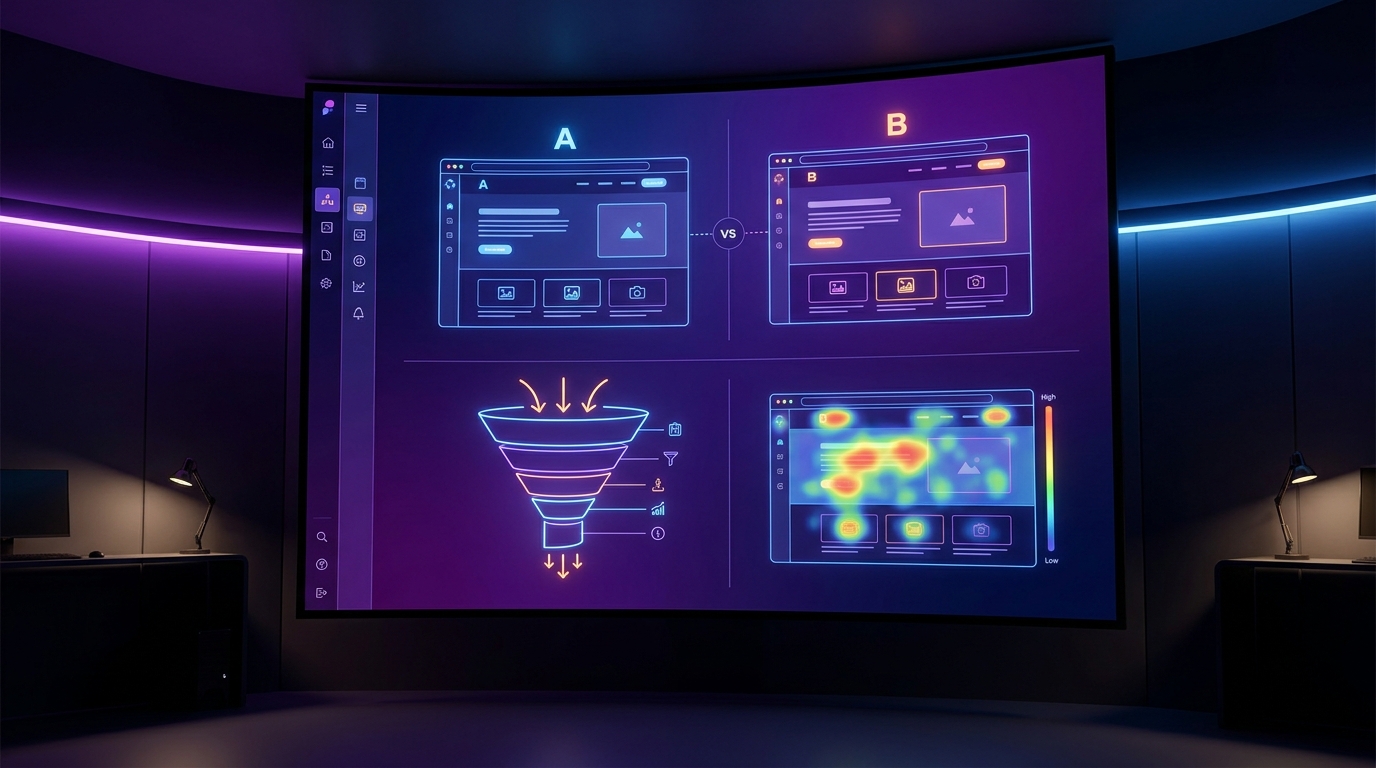
- Test a mirror variant: Create an A/B variant where the headline uses the AI's exact descriptor verbatim, and run it against your current headline. The lift is frequently 15–25% on time-on-page.
Step 2: Place a Confirmation Signal in the First 80 Pixels
A confirmation signal is a short, scannable element — not body copy — that validates the visitor's context within the first vertical band of the page. Think of it as a visual handshake that says "yes, you're in the right place."
- Use a category tag or eyebrow label: A small capsule above your headline reading "Contract Intelligence Platform" or "For Enterprise Legal Teams" costs zero design effort and immediately orients the visitor.
- Reference the use case, not the company: "The platform behind 4,200 SaaS procurement workflows" is more confirming than your logo at 2x scale.
- Consider a single-sentence context strip: A light gray bar at the very top reading "As cited by Perplexity AI for B2B contract automation" is unconventional but performs well with high-intent AI traffic — it explicitly validates the referral path.
- Never use a full-width hero image as your first element: Images load slower and convey category less precisely than text. If you use a hero image, overlay the confirmation signal on top of it at high contrast.
- Test on mobile first: In 2026, roughly 54% of AI-engine referral clicks arrive on mobile devices. Your 80-pixel confirmation band must survive a 390px-wide viewport without collapsing into ambiguity.
Step 3: Deploy a Primary CTA That Matches Buyer Stage
AI-referred visitors arrive at different points in their decision journey depending on which query triggered the citation. A visitor sent by a "what is the best X" prompt is in evaluation mode. A visitor sent by a "how do I do Y with X" prompt is in activation mode. One CTA does not serve both.
- Map your CTA to the triggering intent: Evaluation-stage visitors respond to "See a 5-minute demo" or "Compare plans." Activation-stage visitors respond to "Start free" or "Connect your data now."
- Use one primary CTA above the fold: Multiple buttons of equal visual weight dilute attention and create decision paralysis. Pick the action most aligned with your AI traffic's majority intent, and make it dominant.
- Write the CTA button copy in the visitor's language: If the AI described you as a way to "automate invoice matching," your button should say "Automate My Invoices" — not "Get Started."
- Add a friction-reducing micro-copy line: A single line beneath the button — "No credit card. Live in 10 minutes." — removes the most common hesitation at zero visual cost.
- Position the CTA within the natural F-pattern reading endpoint: Eye-tracking studies place the first fixation drop at approximately 550–650px from the top on desktop. Your CTA should sit within that band.
Step 4: Load Trust Proof Above the Fold — Not Below It
The instinct to save logos and testimonials for a dedicated section further down the page costs conversions from AI traffic specifically. Because AI visitors arrive with moderate-to-high intent, they are already asking "but can I trust this?" before they scroll. Answer that question immediately.
- Use a single-row logo bar: Five to seven recognizable customer logos placed immediately beneath your CTA add credibility in under 200 milliseconds of visual scan time.
- Prefer logos over star ratings for B2B: Star ratings signal consumer social proof. Logos from known companies signal peer validation — far more powerful for enterprise and mid-market buyers arriving from AI research queries.
- Add one quantified proof point: "Trusted by 3,100 finance teams" or "Processes $2B in invoices monthly" — a single, specific number anchors trustworthiness more than any adjective.
- If space allows, include one micro-testimonial: A 15-word quote with a name, title, and company logo takes up roughly the same space as a tagline and converts four to six times better than the tagline alone.
- Keep this block visually subordinate to the headline: Trust proof should support the headline, not compete with it. Use smaller font sizes and lower visual weight than your primary message.
For a broader treatment of how trust signals interact with conversion across the full page experience, the AI search traffic conversion optimization guide covers the complete signal architecture from fold to footer.
Step 5: Control Visual Hierarchy So the Eye Moves on Your Terms
Visual hierarchy is the sequence in which the eye reads your page. For AI-referred visitors, the optimal sequence is: category confirmation → headline → value proof → CTA → trust signal. Any layout that scrambles this sequence adds friction to an already-decided visitor.
- Assign clear size tiers: Headline at 48–64px, subheadline at 20–24px, body and trust bar at 14–16px. Four distinct sizes create four distinct attention layers.
- Use whitespace as a guide, not a filler: Deliberate negative space between your headline and your CTA forces the eye to pause at both. Cramped layouts blur the hierarchy and slow decision-making.
- Avoid competing visual anchors: A large product screenshot, a floating chat widget, a cookie banner, and a sticky nav all fight for primary attention. Each additional visual anchor reduces the probability the visitor's eye reaches your CTA.
- Direct with color contrast, not decoration: Your CTA button should have the highest color contrast ratio on the visible fold. If your brand palette is muted, use a single accent color exclusively for CTA elements.
- Validate with a five-second test: Show your fold screenshot to five people unfamiliar with your product. Ask them what the page is for and what they should do next. If fewer than four answer correctly, your hierarchy is broken.
Step 6: Optimize Page Speed to Survive the 3-Second Judgment Window
All five design steps above are irrelevant if the page hasn't rendered when the visitor makes their bounce decision. Google's research established the three-second threshold years ago, but for AI-referred visitors — who arrive with a preformed expectation — the effective tolerance window is closer to 2.5 seconds. A blank screen is not a neutral experience; it is a broken promise.
- Target a Largest Contentful Paint (LCP) under 2.0 seconds: This is the Google Core Web Vital most directly correlated with above-the-fold perception. Use PageSpeed Insights to benchmark your current LCP by page.
- Preload your hero image or hero text block: Add
<link rel="preload">directives for your largest above-the-fold asset. This alone can shave 300–600ms from LCP on most CMS platforms. - Eliminate render-blocking scripts in the head: Third-party chat widgets, analytics snippets, and A/B testing libraries all delay First Contentful Paint. Defer everything non-critical.
- Use a CDN with edge caching for your landing pages: AI-referred traffic is geographically dispersed because AI engines serve global audiences. A CDN ensures consistent sub-2-second delivery regardless of visitor location.
- Set explicit width and height on all above-the-fold images: This prevents Cumulative Layout Shift (CLS), where content jumps as images load — a jarring experience that signals low quality to high-intent visitors and inflates perceived load time.
"A 1-second delay in mobile load time reduces conversions by up to 20%. For AI-referred visitors who arrive expecting immediate confirmation, the conversion penalty for slow pages is likely higher still."
Common Mistakes to Avoid
Even well-intentioned design teams make predictable errors when optimizing for AI search visitors. These are the patterns most likely to undo everything covered in the six steps above.
- Using the same fold for all traffic sources: AI visitors, paid search visitors, and direct visitors have different context states. Personalization by referral source — even just swapping the headline — dramatically outperforms a single universal fold.
- Treating the fold as a branding canvas: Large abstract imagery, animated backgrounds, and brand manifesto copy all serve brand awareness campaigns. AI-referred visitors are past that stage. Prioritize clarity over aesthetics.
- Hiding the product category: Startup naming conventions sometimes mean your company name communicates nothing about what you do. If a visitor can't determine your product category within two seconds of reading your headline, you've failed the confirmation test.
- Stacking multiple CTAs with equal prominence: "Book a Demo," "Start Free Trial," "Watch Video," and "See Pricing" all above the fold creates a choice paradox. One primary CTA, one secondary text link at most.
- Ignoring the mobile fold entirely: On a standard mobile viewport, "above the fold" means roughly 600–700px of vertical space. Many teams design for desktop and assume mobile will handle itself. It won't — audit your mobile fold separately and treat it as a distinct layout problem.
- Not updating the fold when the AI changes its description of you: AI-generated descriptions of your product evolve as models are retrained. If Perplexity now describes you as a "revenue intelligence platform" but your fold still says "sales analytics tool," you have a confirmation gap. Audit AI citations quarterly.
Expected Results and Timeline
Above-the-fold changes are among the fastest-returning CRO investments because they affect every single visitor rather than a specific funnel segment. Here is what teams implementing this six-step process can realistically expect.
| Timeframe | Expected Change | How to Measure |
|---|---|---|
| Week 1–2 | Bounce rate on AI-referred traffic drops 15–30% | GA4 engagement rate by traffic source segment |
| Week 2–4 | Average session duration increases 20–40 seconds | GA4 average engagement time per session |
| Week 3–6 | Primary CTA click-through rate improves 10–20% | GA4 event tracking on CTA button click |
| Month 2–3 | AI-referred visitor-to-lead conversion rate improves 18–35% | CRM attribution by traffic source |
| Month 3+ | AI engine citation frequency may increase as engagement signals strengthen | Manual AI engine audits; referral volume in GA4 |
These estimates assume meaningful AI referral volume (at minimum 200–300 sessions per month from AI sources) and proper A/B testing infrastructure. Teams running these changes as direct deployments without testing should treat the figures as directional benchmarks, not guaranteed outcomes. The compounding effect in month three and beyond — where stronger engagement signals feed back into AI citation algorithms — is the highest-leverage long-term benefit of getting this right.
Frequently Asked Questions
How is above-the-fold design different for AI search traffic compared to organic Google traffic?
Visitors from AI engines like Perplexity or ChatGPT arrive having already read an AI-generated summary about your product — they are in verification mode, not discovery mode. Organic Google visitors are still in selection mode, comparing your page to alternatives. This means AI-referred visitors need immediate confirmation that you match the AI's description, while organic visitors need differentiation messaging that explains why you beat competitors. The headline strategy, CTA copy, and trust signal selection should all reflect this distinction.
What is the ideal above-the-fold layout for a B2B SaaS landing page receiving AI traffic?
The highest-converting structure observed in 2026 follows this vertical order: category eyebrow label → benefit-forward headline containing the AI-cited descriptor → one-sentence supporting statement → primary CTA with friction-reducing micro-copy → logo bar or quantified social proof. The entire stack should render within 650px on desktop and 700px on mobile. Keep total above-the-fold element count below eight to avoid visual noise that delays the visitor's decision.
How do I find out what AI search engines are saying about my product?
Manually prompt ChatGPT, Perplexity, Gemini, and Microsoft Copilot with queries like "What is [your brand]?", "Best tools for [your category]", and "How does [your brand] compare to [competitor]?" Record the exact phrasing each model uses to describe your product. Repeat this audit quarterly because model outputs change as training data is updated. Tools like Profound, Brandwatch AI Insights, and Goodie AI also offer automated AI citation monitoring for teams that need continuous tracking.
Does page speed actually affect AI search referral conversion rates?
Yes, and the effect is amplified for AI-referred visitors. Because AI visitors arrive with a specific expectation, a slow-loading page doesn't just create impatience — it creates doubt about whether they landed on the right URL. Aim for an LCP under 2.0 seconds on both desktop and mobile. Pages achieving sub-1.5-second LCP consistently outperform slower variants by 20–30% on engagement metrics when controlling for traffic source.
Should I create separate landing pages for each AI engine that sends traffic?
For high-volume AI referral sources (more than 500 sessions per month from a single engine), creating engine-specific landing page variants is worth the investment. Perplexity and ChatGPT users have measurably different intent profiles — Perplexity users tend to be deeper in research, while ChatGPT plugin users often arrive mid-task. For lower-volume sources, a single optimized fold with dynamic headline personalization based on referrer string delivers 80% of the benefit at 20% of the production cost.